
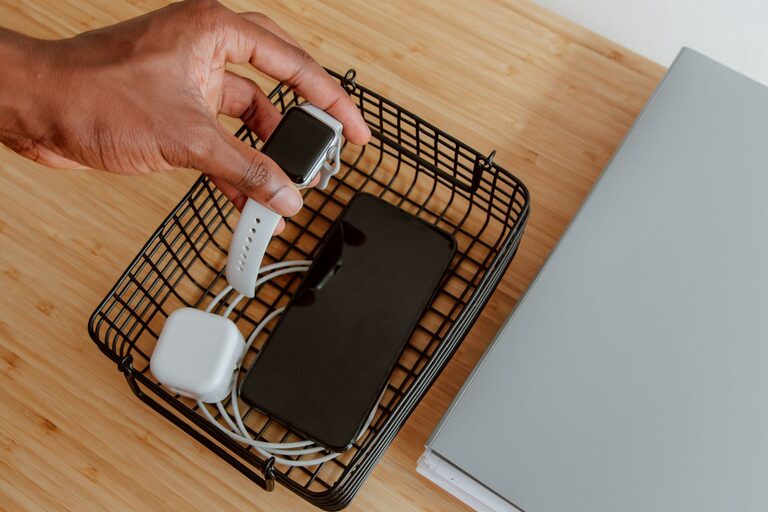
Setting up a dedicated charging station for your devices can simplify your daily routine and keep your spaces neat and clutter-free. Whether you have multiple smartphones, tablets, wearable devices, or other rechargeable gadgets, a well-planned charging station ensures everything is powered up and easy to find. This guide walks you through the steps to create a convenient and organized charging station tailored to your needs.
Why Create a Charging Station?
In many homes and offices, devices are charged individually and often scattered around. This can lead to tangled cords, misplaced chargers, or devices running out of battery unexpectedly. A charging station:
– Keeps all your devices in one spot.
– Reduces clutter and cable mess.
– Makes it easier to find and charge devices quickly.
– Can help protect your devices by providing proper ventilation and organization.
Step 1: Assess Your Charging Needs
Before purchasing or assembling a charging station, list all the devices you regularly need to charge. Consider:
– Smartphones and tablets.
– Laptops or e-readers.
– Smartwatches and fitness trackers.
– Wireless earbuds or headphones.
– Other rechargeable gadgets like cameras or portable game consoles.
Take note of the number of devices, their charging ports (USB-A, USB-C, Lightning, etc.), and if any charge wirelessly.
Step 2: Choose a Location
Pick a convenient and accessible spot to set up your charging station. Common locations include:
– A desktop or home office desk.
– A bedside table.
– A kitchen countertop.
– A common family area like a living room console.
Make sure the spot has easy access to a power outlet and is away from liquids or extreme heat.
Step 3: Gather the Necessary Materials
Depending on your needs, you may require:
– A power strip or multi-port USB charger: Look for one with enough outlets or USB ports. Multi-port chargers save space and reduce the number of plugs.
– Charging cables: Use cables compatible with your devices. Consider cables of varying lengths to fit your setup neatly.
– A charging station organizer: These come in various styles, from simple stands to multi-compartment boxes.
– Cable organizers: Clips, ties, or sleeves help prevent tangling.
– Labels (optional): To mark cables or spots, especially in a shared charging station.
Step 4: Set Up Power Sources
If using a power strip, plug it into the wall outlet and place it in an accessible but hidden location to avoid cable clutter. Alternatively, a multi-port USB charger can simplify the setup by handling multiple USB devices from one plug.
If your devices require different types of ports, consider chargers that support various outputs, including fast charging.
Step 5: Organize Your Devices
Arrange your devices in the charging station in a way that prevents overlap and allows easy retrieval. Use stands or slots designed for smartphones and tablets to keep screens visible and accessible.
For wireless chargers, designate one or two spots where devices can be placed directly on the pad.
Step 6: Manage the Cables
Use cable organizers to route and secure cables neatly. Tips for cable management include:
– Using cable clips to anchor cables along the edge of the desk or station.
– Wrapping excess cable length with ties or Velcro straps.
– Labeling cables if multiple users share the station.
– Running cables in sleeves or under trays to hide them from view.
Step 7: Maintain Your Charging Station
To keep your charging station efficient:
– Regularly check cables and chargers for wear or damage.
– Remove devices as soon as they are fully charged to free up space.
– Dust and clean the area to prevent buildup around chargers and cables.
– Update cables and chargers as needed to support new devices.
Additional Tips
– Safety first: Avoid overloading power strips and chargers. Use certified chargers for your devices.
– Portability: If you travel often, consider a compact charging station or a multi-port charger that can be packed easily.
– Multi-user stations: In a family or shared space, assign labels or colored cable organizers to keep devices distinct.
– Aesthetic choices: Choose a charging station design that fits your style, whether it’s minimalist, wooden, or modern plastic.
Conclusion
A well-designed charging station brings order and convenience to device charging in your home or office. By assessing your needs, selecting the right location and tools, and keeping cables organized, you can create a reliable hub where your devices stay powered and easy to access. Investing a little time into the setup can save frustration and make your daily charging routine smoother.