
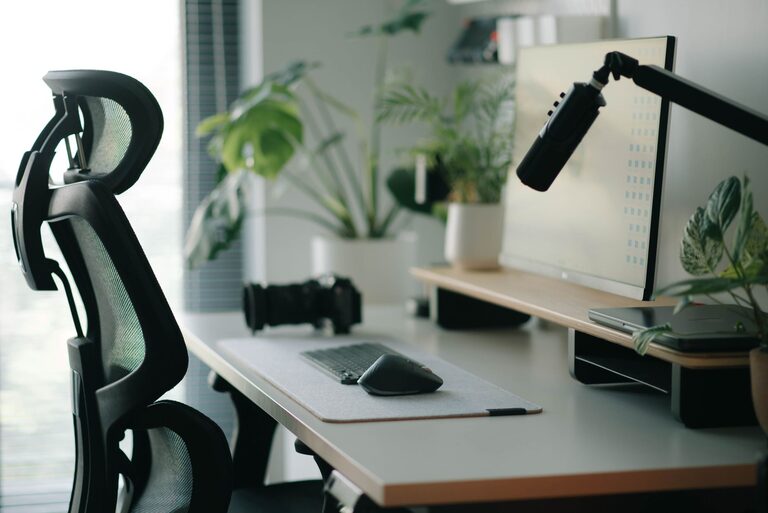
Creating an effective desk setup is key to maintaining focus and comfort, whether you’re working from home or in an office. A well-organized and thoughtfully arranged workspace not only helps reduce distractions but also supports your physical well-being during long hours of work. In this post, we’ll explore practical tips on how to set up your desk for optimal focus and comfort.
Why Your Desk Setup Matters
Your desk setup has a significant effect on your productivity and health. Poor posture or a cluttered environment can lead to discomfort, distractions, and decreased efficiency. On the other hand, a workspace designed with ergonomics and organization in mind encourages better concentration and reduces the risk of physical strain.
Choosing the Right Desk and Chair
Select a Suitable Desk
– Size and Surface: Choose a desk large enough to accommodate your computer, accessories, and some workspace for writing or other tasks. A clutter-free surface helps you stay focused.
– Height: If possible, opt for an adjustable desk that lets you switch between sitting and standing positions. This flexibility can help reduce fatigue.
Ergonomic Chair
– Support: Use a chair with good lumbar support to maintain the natural curve of your spine.
– Adjustability: Look for adjustable seat height and armrests to ensure your feet rest flat on the floor and your arms are comfortable while typing.
– Comfort: Choose a chair with adequate padding and breathable fabric for extended comfort.
Positioning Your Monitor
Eye Level and Distance
– Place your monitor so the top edge is at or slightly below eye level. This encourages a neutral neck position.
– Keep the screen about an arm’s length away to reduce eye strain.
– Position the monitor directly in front of you to avoid twisting your neck.
Reduce Glare
– Position your desk to avoid glare from windows or overhead lights on your screen.
– Use an anti-glare screen protector or adjust display brightness as needed.
Organizing Your Desk for Focus
Declutter Regularly
– Keep only essential items on your desk to minimize distractions.
– Use cable organizers to manage cords and keep the workspace tidy.
Use Storage Solutions
– Utilize desk drawers, shelves, or organizers to store office supplies, papers, and gadgets.
– Label storage compartments for easy access and efficiency.
Personal Touches
– Add a small plant or photo to personalize your space without overwhelming it.
– Avoid excessive decorations that could divert your attention.
Lighting Tips
– Use natural light whenever possible. Position your desk near a window but avoid direct sunlight on your screen.
– Add a desk lamp with adjustable brightness and color temperature to reduce eye strain during low light conditions.
Accessory Placement and Ergonomics
Keyboard and Mouse
– Position your keyboard and mouse at a height that allows your elbows to bend around 90 degrees and your wrists to stay straight.
– Consider using an ergonomic keyboard and mouse to reduce strain.
Footrest
– If your feet don’t rest flat on the floor, use a footrest to promote good posture.
Document Holder
– Use a document holder next to your monitor to keep paperwork at eye level, avoiding frequent neck movement.
Maintaining Comfort Throughout the Day
Take Regular Breaks
– Follow the 20-20-20 rule: every 20 minutes, look at something 20 feet away for 20 seconds to reduce eye strain.
– Stand up, stretch, or walk around every hour to improve circulation and relieve muscle tension.
Stay Hydrated and Snack Wisely
– Keep water nearby to stay hydrated.
– Opt for healthy snacks that provide steady energy.
Temperature and Air Quality
– Ensure your workspace has comfortable temperature and good ventilation.
– Consider a small fan or air purifier if needed.
Final Thoughts
Setting up your desk with focus and comfort in mind is a worthwhile investment in your productivity and health. By choosing the right furniture, organizing your space thoughtfully, and paying attention to ergonomics and lighting, you create an environment that supports sustained concentration and physical well-being. Start with these tips to transform your workspace into a place where you can work efficiently and comfortably every day.